A better sense of level.
Read roll, pitch, and long-edge angles. Set separate references on a known level surface, choose your tolerance, and hold a reading when the screen is hard to see.
 plumbBY KOPPEL ITAll apps ↗
YOUR POCKET TOOLKIT
A shelf that sits just right. A space you can plan around. Plumb puts a bubble level and AR measuring tool in your Android phone.
Download for Android ↓The level needs a motion sensor. AR measuring needs an ARCore-supported phone, Google Play Services for AR, and camera permission. AR distances are estimates; verify important dimensions with a tape measure. End-to-end AR operation and accuracy still need verification on a compatible physical phone.
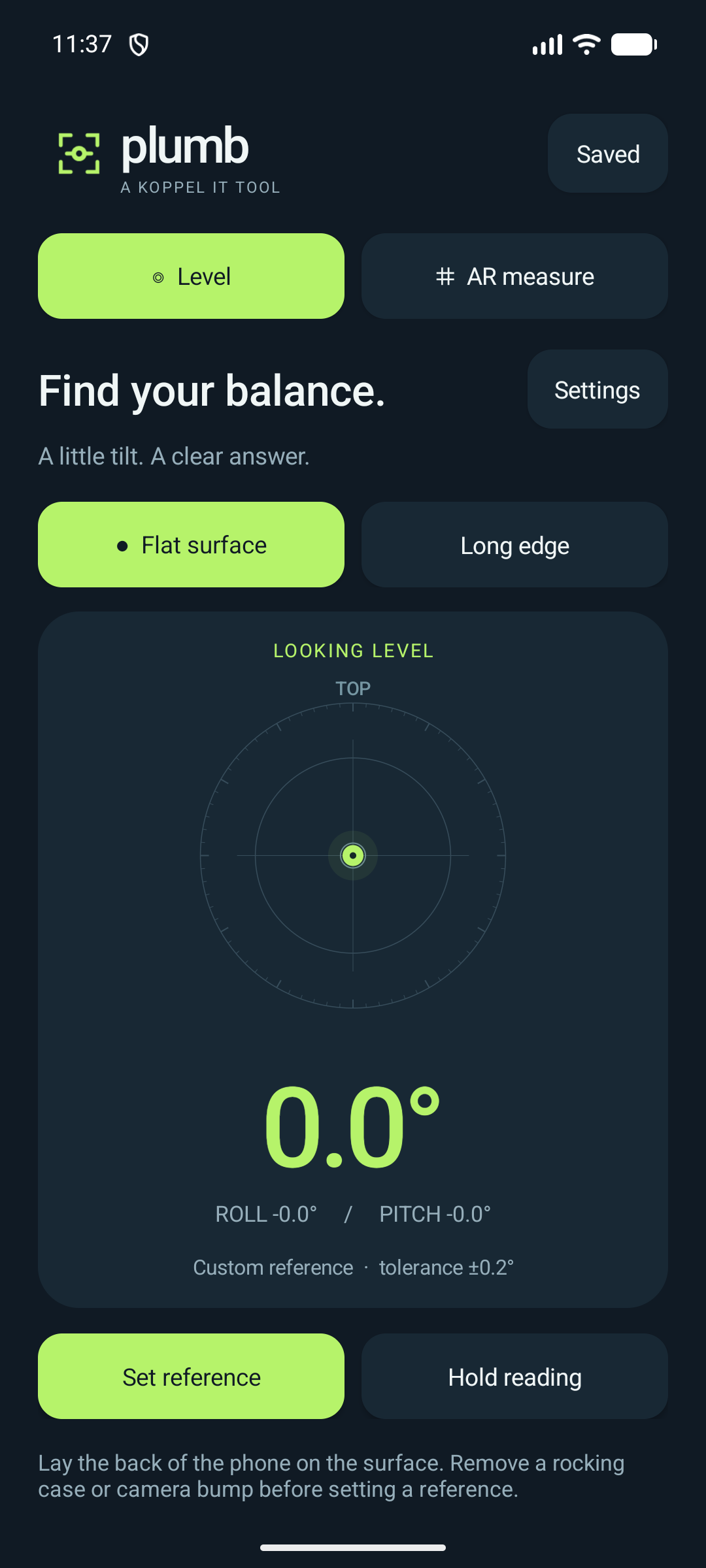
Actual app screen · simulated level sensor
Read roll, pitch, and long-edge angles. Set separate references on a known level surface, choose your tolerance, and hold a reading when the screen is hard to see.
Scan a textured surface, aim at your first point, then pin your second. Plumb measures between tracked AR anchors and uses depth sensing when your phone supports it.
Switch between metric and feet and inches. Name your AR measurements, keep up to 100 on your device, and share a length when you need it.
FROM DOWNLOAD TO DONE
This is a direct APK download from Koppel IT.
The level depends on your phone’s sensors, case and reference surface. Calibrate on a known horizontal surface and keep the phone steady. AR accuracy depends on the device, distance, lighting and surface texture. Use stationary, well-lit surfaces and cross-check a known length. Avoid mirrors, glass, featureless walls and moving objects. Displayed decimal places are resolution, not a guarantee of accuracy.
This release has automated calculation tests and emulator checks. Physical-device AR accuracy has not been independently validated.
Settings, reference offsets and saved measurements stay in the app’s local storage. Plumb does not save or upload camera images, require an account, or include ads or analytics. Google Play Services for AR handles AR tracking. Uninstalling Plumb removes its local measurements.
Package: com.koppelit.plumb · Release 1.0.0 · Signed by Koppel IT.
SHA-256: d91b067b3ebca6f5c392d18c83502e75efe821a39e99c9aeced3498fa8a6a608